Bugmark
Live this weekInstant bug reports with dev context.

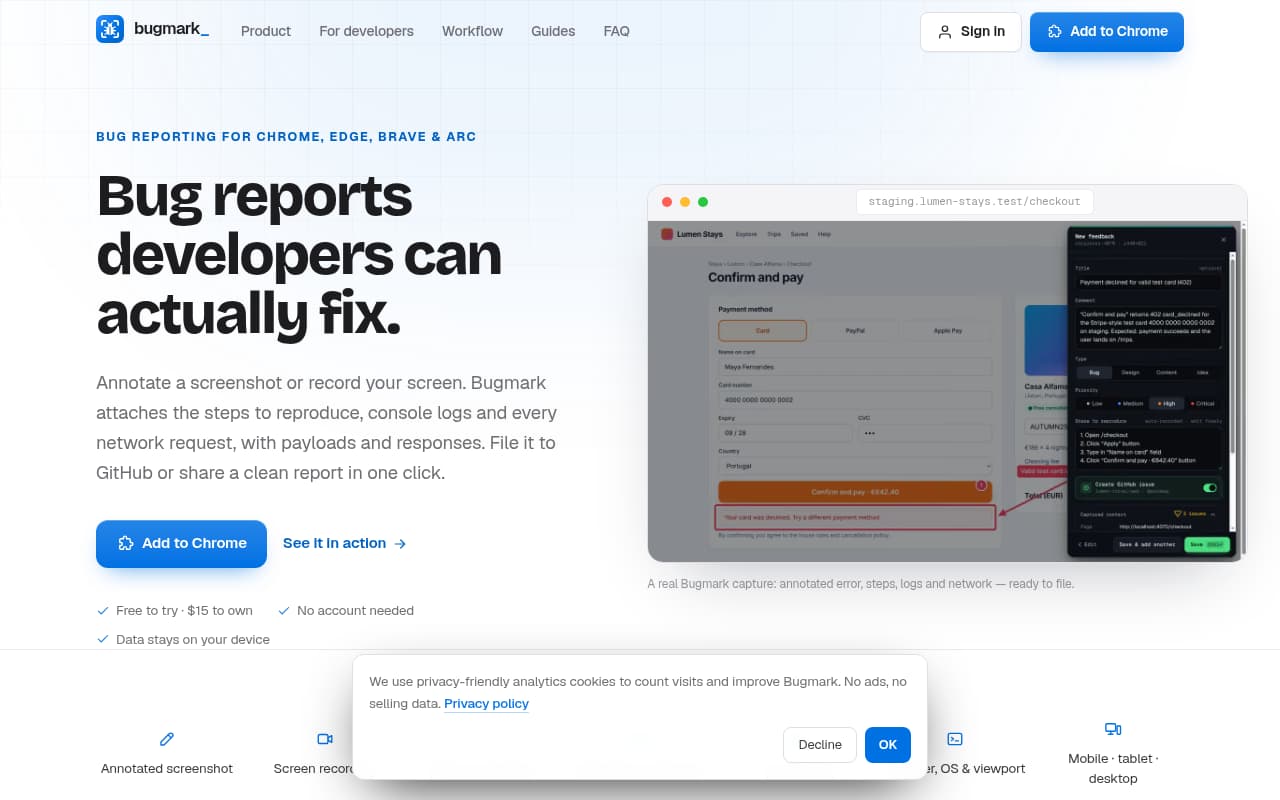
Bugmark - Instant bug reports with dev context.
Who is it for?
Problem
Bug reports often lack crucial technical context, leading to time-consuming communication loops, incomplete information, and delays in debugging and fixing issues.
Solution
Bugmark automates the collection of comprehensive bug data, including annotated visuals, steps to reproduce, console logs, and network requests, providing developers with immediate, actionable insights to diagnose and resolve problems efficiently.
What makes it unique
Bugmark stands out by automatically attaching rich developer context, such as full network request/response details and console logs, without manual collection. Its responsive view capture allows seeing layout bugs across mobile, tablet, and desktop in one report. Additionally, it offers privacy by keeping data on your device and redacting sensitive information, alongside seamless integration with GitHub and flexible export formats for any workflow. The "Before and After" verification feature is also unique for closing the loop on fixes.

Pardeep Dev
Maker from United Arab Emirates
Launch history
Every launch keeps its locked points and placement when the next run starts from zero.
HTML to PDF with a queryable DOM

Your private AI security engineer.

Verify your GPU hours delivered
Production-ready Shadcn dashboard kit
Be the first to comment
Share your thoughts, ask a question, or leave feedback for the maker.