Dawnlet: A Planner App for iPhone That Organizes Your Whole Day
Organize your day, simply and calmly.
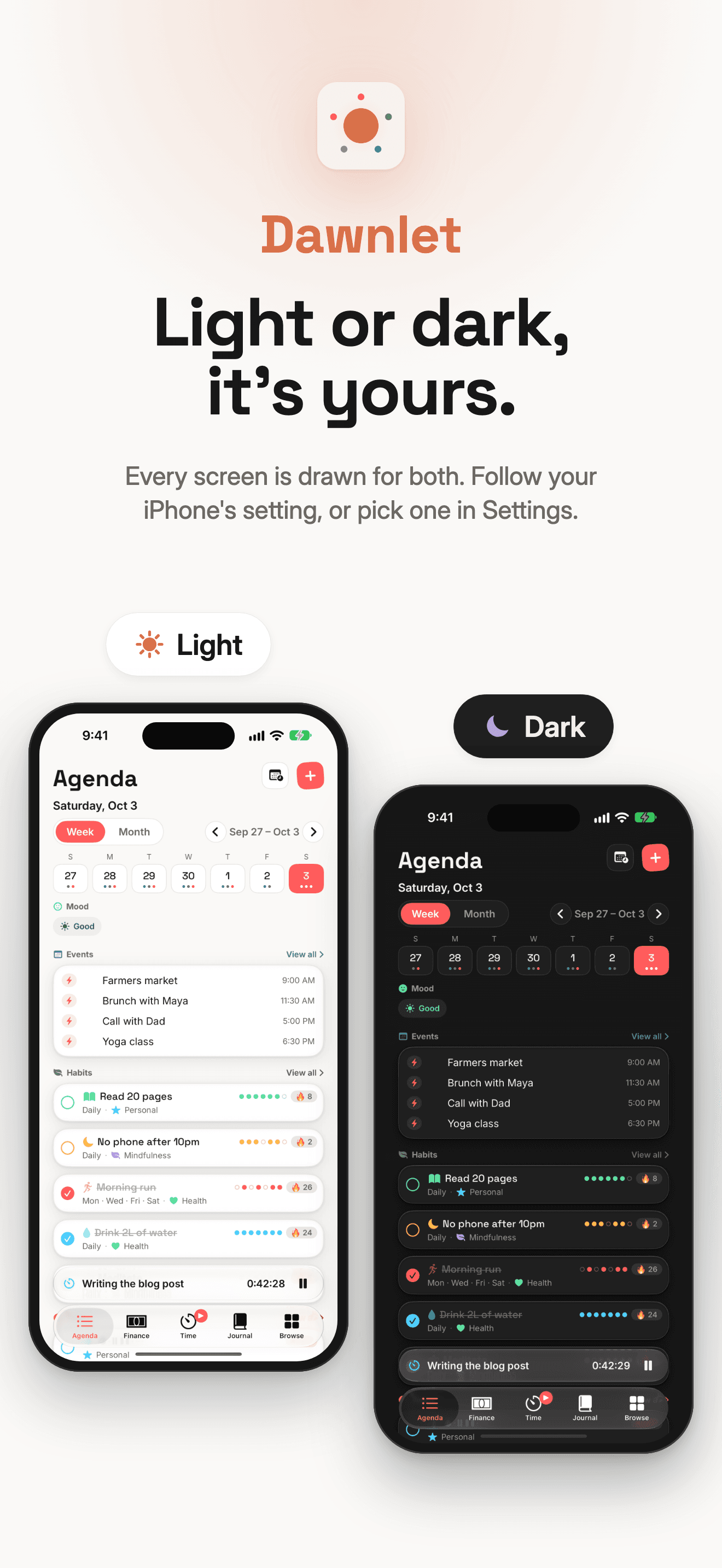
Dawnlet - Organize your day, simply and calmly.
Dawnlet is a planner app for iPhone, iPad and Apple Watch that works as a life organizer. It puts events, todos, habits, money, time tracking and a journal into one calm view of your day. It suits anyone running their life across five apps that don't talk to each other. The core app is free, and Dawnlet Plus costs $3.99 a month or $34.99 a year.
Built by Aly Badawy in New Jersey, it reached version 1.3 on October 4, 2026, two days after 1.1. That's the kind of release pace most of us save for the night before a launch.
Five apps for one Tuesday is too many
A normal day already lives in several places. Meetings sit in Calendar. The shopping list sits in Reminders. Your habit streak lives in a tracker you open twice a week, the coffee spending lives in a budgeting app you've stopped opening, and the one line about how the day went is in a notes app, somewhere.
None of those apps is bad. The problem is the hopping. Each one wants a tap, a check and a notification, and none of them can tell you that the day you spent the most was also the day you skipped the gym and logged the worst mood.
Dawnlet starts from the opposite end. Everything that happens in a day goes into one app, tagged with one shared set of categories, so the day can be planned and looked back on as a whole.
It plans from the month down to the next hour
The app is organised around five tabs. Agenda shows the day, week or month. Browse gives a weekly overview with a tile for each module. Journal holds reflections and moods. Time runs the timers. Finance collects spending.
Planning works top down. Plan My Month and Plan My Week are short guided passes through the days ahead, and the Agenda turns that into today's list. During the day you tick off todos, log a habit, start a timer when you sit down to work and add the lunch you spent too much on. In the evening there is room for a journal entry, a mood and one line about what went right.
It also reaches beyond the main screen:
- Home Screen widgets for today's todos, habits, the running timer and what's coming up
- an Apple Watch app for ticking habits and todos and running the timer from your wrist
- Siri, Shortcuts, Control Center, Spotlight and Handoff, all added in version 1.3
- Apple Calendar and Apple Reminders, read on the device and shown next to everything else
What a normal day looks like in it
Picture a Wednesday. Over breakfast, the Agenda shows the two meetings pulled in from Apple Calendar, the three todos due today and the habits you said you'd do on Wednesdays. One todo has slipped from yesterday, and it says so instead of quietly hiding.
At your desk you start a timer for the client project. A call comes in, so you pause it, and the pause shows up as its own segment rather than padding your hours. When you switch to admin work, it's one tap from the timer, not a new app.
Lunch goes in as a meal and the coffee goes in as spending, both under the same categories you use for everything else. A birthday reminder pops up for Friday, generated on your phone from the people you added. In the evening you tick the run you actually went on, write a couple of lines in the journal, pick a mood and note one thing that went right.
None of that needed a second app. On Sunday, with Plus, Plan My Week walks you through the days ahead, and the month insights show whether all that tracking added up to anything. The free plan handles the Wednesday. Plus handles the Sunday review.
Eleven modules, one set of categories
Dawnlet covers more of daily life than a typical planner. Its eleven modules are events, todos, habits, money, time, journal, meals, gratitudes, books, trips and places, plus birthdays that turn into reminders. A few details stand out:
- repeating events where one occurrence can be skipped without touching the series
- habit streaks worked out from your daily log, so a missed tick can't quietly fake a streak
- a time tracker with pause segments and one-tap switching between activities
- monthly budgets and recurring bills on the money side
- 27 kinds of notification, each one switchable on its own
- one shared list of categories and tags, with your own colours and icons, used across every module
What it leaves out matters just as much. There is no Android app, no web version yet, no AI assistant and no team features. Dawnlet is a personal planner for one person's day, and it's in English only for now.
Your data syncs, but nobody is watching
Privacy is a big part of the pitch, so it's worth being precise. You sign in with Apple, and your content is stored on Dawnlet's own server, tied to your account, so it syncs across your devices. The server runs on Supabase Postgres with row-level security on every table, and there is no password to leak because there isn't one.
A good deal never leaves your phone. Notifications are computed and scheduled on the device, with no notification server behind them. Apple Calendar events and Reminders are read locally and never uploaded. The app ships with no third-party analytics, advertising or crash-reporting code. You can delete single items, or your whole account and everything in it, from inside the app.
Since version 1.3 the app also opens offline, showing a saved copy of your day and saying plainly when something couldn't load or save. Journal entries, meals and money are left out of that offline copy, so those need a connection.
Free covers today, Plus covers the look back
As of October 2026, Dawnlet has two plans. Its own summary is hard to beat: "The present is free. Looking back is Plus."
| Plan | Price | What you get |
|---|---|---|
| Dawnlet Free | $0 | Every module for day-to-day use, up to 500 items per category, 16 of the 27 notification kinds |
| Dawnlet Plus | $3.99 a month or $34.99 a year, 14-day free trial | Insights, reports with PDF export, Plan My Week and Plan My Month, repeating items, budgets and 11 more notification kinds |
The free plan is a working planner, not a demo. Plus is worth it once you want the guided weekly planning, repeating todos and the monthly reports that show where your time and money actually went.
How it compares with TickTick, Structured and Life Planner
Search for the best planner app for iPhone and the same names keep coming up. Here is how they line up on price and focus, as of October 2026.
| App | Paid plan | Built around | Tracks money |
|---|---|---|---|
| Dawnlet | $34.99 a year | The whole day: plans, habits, time, money and a journal | Yes |
| TickTick | $35.99 a year | Tasks and calendar, with habits and a focus timer | No |
| Structured | Pro subscription, price varies by plan | A visual timeline of the day in time blocks | No |
| Life Planner: Organizer | $24.99 a year | Tasks, finance, habits and a journal | Yes |
| Apple Calendar and Reminders | Free | Events and lists | No |
TickTick is the pick if you need Android, Windows or a web app alongside your iPhone. Structured suits people who think in time blocks and want to drag the afternoon around. Life Planner is the closest match on features. Apple's own apps are free and already installed, and Dawnlet reads them anyway.
Dawnlet's case is breadth inside the Apple world. It is the one in this list that puts time tracking, spending, meals and a journal next to your calendar and todos, with notifications generated on your own phone.
Who it suits, and who should look elsewhere
Dawnlet suits people who live on an iPhone and an Apple Watch and want one personal organizer app for the whole day. That includes students juggling classes and budgets, indie hackers tracking where the hours went, and creators who like a short evening review. If you've ever exported three CSV files to work out why a week felt busy, it was built for you.
Look elsewhere if you use Android or Windows, if you need to share lists with a team, or if your phone can't run the latest system: the app needs iOS 26.6 or later. On a Mac it runs on Apple silicon only.
Straight answers
Is Dawnlet free?
Yes. The free plan covers every module for daily use, with up to 500 items per category. Dawnlet Plus adds insights, reports, guided planning, repeating items and budgets for $3.99 a month or $34.99 a year, with a 14-day free trial.
Does Dawnlet work offline?
Partly. Since version 1.3 it opens offline from a saved copy of your day, but creating or editing items needs a connection, and journal entries, meals and money aren't kept offline.
Is there an Android or web version?
No. Dawnlet runs on iPhone, iPad, Apple Watch and Apple silicon Macs. A web client is planned but hasn't been started, according to the Dawnlet changelog and site.
Does Dawnlet read my Apple Calendar?
Yes. It reads Apple Calendar and Apple Reminders on your device and shows them next to your other plans. That data is never uploaded to Dawnlet's server.
Want to see it in this week's lineup? Dawnlet has a profile on LaunchOnIt, alongside the other productivity tools launched by indie makers this week.